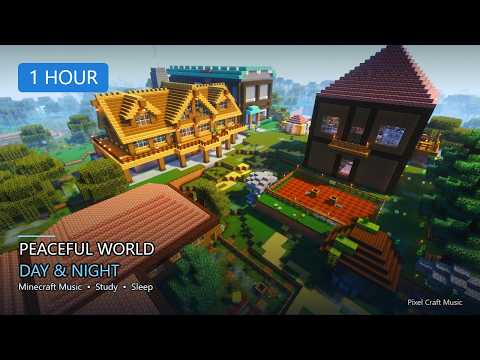
Java 26.3 Snapshot 9 showed up a day early and cared less about flashy fantasy blocks than about how a Realm feels when you stare at the horizon. This is a host-tools snapshot: distance dials, a few mob edge cases, and a macOS control courtesy for people who still fight trackpad right-click rituals.
What Realm owners actually get
- Render distance can climb as high as 25 chunks
- Render distance and simulation distance are separate dials
- Hosts can tune “pretty view” without forcing the whole world to stay equally alive
- That split is the whole thesis — performance versus presence, on purpose
If you have ever maxed render because a screenshot looked lonely, then watched farms melt the tick loop, this is the apology letter. Raise the view two chunks at a time while a trusted friend flies the ridge. Stop when frames dip — not when the slider feels emotionally complete.
Quiet gameplay + platform notes
- Endermen projectile damage while riding gets an edge-case tidy
- Endermen and Shulkers are kept from teleporting onto bedrock nonsense
- macOS Controls gain optional Right Click Emulation (Control + left-click → right-click)
- Emulation stays off by default for people who do not need it
How I’d test tonight
- Enable snapshots in the Launcher Installations tab; use a dedicated profile
- Copy or ignore precious worlds — snapshot saves can break later
- Invite one trusted tester, not the whole Discord
- Nudge render up in small steps while someone flies the horizon
- Keep simulation lower than render if farms feel fine but the view still wants drama
- File weirdness on the issue tracker while the memory is fresh
Failure modes
- Maxing both dials because “why not” and blaming the mix for hitching
- Loading the main survival folder into a disposable experiment
- Skipping the written sweet-spot note and guessing again next week
- Treating Endermen/Shulker bedrock rules as trivia instead of reporting regressions
- Turning on macOS emulation globally without checking muscle memory first
Soundtrack for big-view QA
Wide highland wind beds with soft horizon shimmer fit better than combat drums. You need chat to stay audible when someone says “frames died at that spruce line.” Snapshot 9 is not a drop night — it is a calibration night with a prettier far clip.
The Endermen/Shulker bedrock teleport tidy and the macOS right-click option are small, but they are the kind of small that stops a Realm night from derailing into “why did that mob do that” folklore. Snapshot culture rewards hosts who treat edge cases as checklist items instead of campfire myths.
Bottom line: Snapshot 9 is optional chaos with a purpose. If you do not own a Realm or care about distance tuning, you can skip it. If you do, this is the week you stop confusing wallpaper distance with living-world distance.
Pretty horizons are free; alive farms are not — split the dials like an adult.
PixelCraftMusic