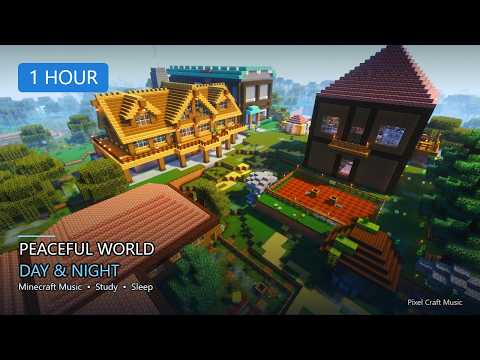
Snapshot 6 is a Tuesday polish build, not a new fantasy trailer. By this point in the 26.3 line you already know the camping direction — this drop is about Abandoned Camp variants feeling right, World Options stopping being a LAN scavenger hunt, and a pile of under-the-hood moves creators will feel before casual players do.
Player-facing bits that matter
- Abandoned Camp work: biome-specific campsite variants and small structure tweaks
- World Options replaces the old Open to LAN pause-menu spot
- General vs Multiplayer sections: LAN scope, command permissions, LAN port
- Online options still live under the main Options menu
- Realm owners get a fix around automatic region preference
World Options is the quiet quality-of-life win. If you have ever explained LAN settings to a friend over voice chat while hunting three menus, this reorganization is the apology letter. Camps getting biome accents is the screenshot win — the structure finally looks like it belongs on the ridge you found it on.
Creator / tech layer
- Data and resource pack versions bump again — re-test packs
- Terrain rendering leans toward MultiDrawIndirect on supported hardware
- Datapack, noise, density-function, shader, and equipment-trim format updates
- Bug fixes spanning LAN game modes, beds, macOS input/fullscreen, transparency, and more
How I’d run the test hour
- Compare one Abandoned Camp variant against what you saw in Snapshot 5
- Open World Options once and write down where Multiplayer settings live now
- If you maintain packs, note the version bump before anything else
- File or screenshot one real bug with seed and coordinates
- Close the launcher when the hour ends — curiosity is not a blank check
Where this sits in the 26.3 ladder
Earlier snapshots taught camping verbs; later ones chase ship confidence. Snapshot 6 lives in the awkward middle: you already believe in abandoned camps, and now you are checking whether biome accents and menu plumbing survive real hardware. That is unglamorous work — and it is exactly how drops stop feeling broken on launch week.
If you only show up for forest screenshots, you can skip this Tuesday. If you host LAN nights or maintain packs, this is your homework with a prettier campsite attached.
Soundtrack for mid-cycle testing
Quiet underground pads and soft rain. Snapshot 6 is not celebration energy. It is “does this still hitch on my laptop” energy. Save the campfire playlist for the retail drop.
Verdict: Snapshot 6 is the grown-up middle child of the 26.3 series — less wow, more “please stop breaking LAN.” Treat it like a regression hunt with prettier camps, then go back to stable until the next numbered step earns another hour.
Polish Tuesdays still count — camps that match their biome are how Wilderness Bound stops feeling temporary.
PixelCraftMusic